How attendance & strikes work
5 min read
This is the part of Team worth reading slowly and carefully, because the system makes a real, deliberate distinction that genuinely matters once you're actually reviewing a member's record for a removal conversation, and getting it backwards can quietly undermine the fairness of your whole process.
Four possible outcomes for any one session, checked in this exact order
- 1Present. Checked in via kiosk during the session's check-in window, roughly 20 minutes before start through 15 minutes after, configurable if your studio needs a wider or tighter margin.
- 2Flagged absent. A member can pre-flag an upcoming absence from their own Team tab before the session starts, choosing from Away/Travel, Sick, Family, or Work/School/Uni, with an optional note explaining further if they want to. It's fully undoable right up until the session's actual start time, after that it locks in as-is.
- 3Contract Violation. Neither checked in nor pre-flagged, for any reason. The system applies this label automatically, with zero admin action required, the instant the check-in window for that session closes.
- 4Unexplained. This one is different from the other three: it's only ever applied by an admin, by hand, for a genuine edge case that needs a human judgment call, a flag that came in a few minutes late, a kiosk that happened to be down that day, a student who called you directly instead of using the app.
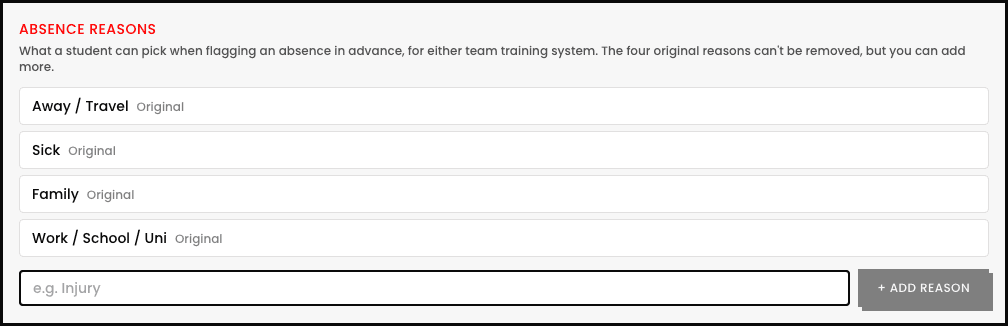
The distinction that genuinely matters most
The strike threshold, per team
Each team's own builder has a Strike threshold field, on its Strikes & Audition step, that combines Contract Violation and Unexplained absences together into one running count: hit that number and the member gets flagged for your review. It defaults to 2, and you can optionally reset the count after a set number of days, or leave it counting for as long as the member stays in the team.
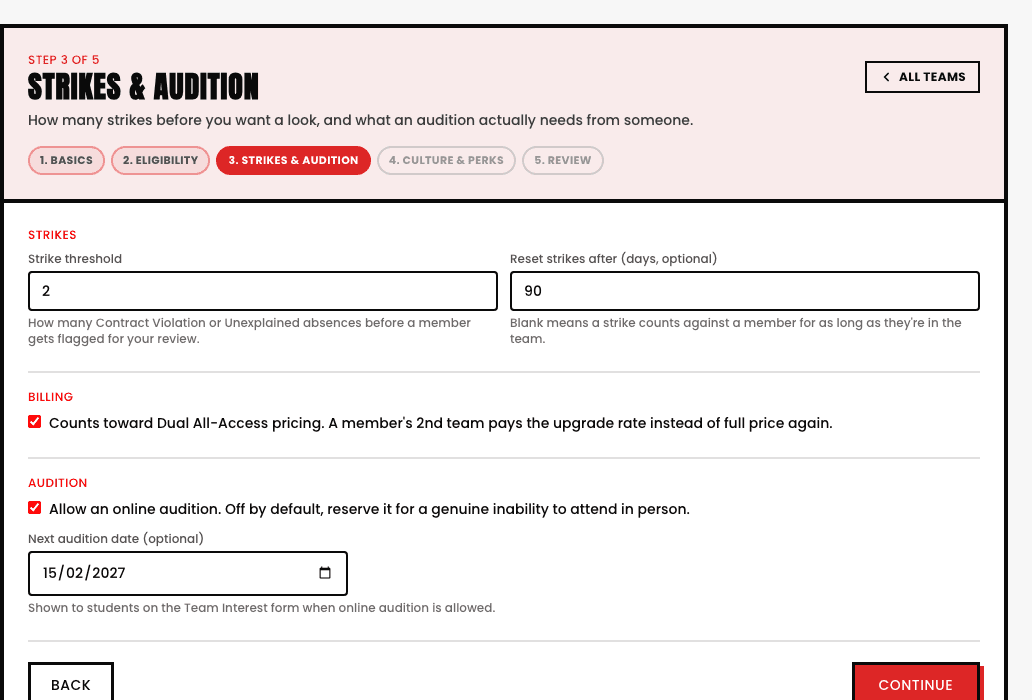
Pre-flagging an absence, from the member's side
A team member opens their own Team tab, finds the upcoming session on their own schedule, picks a reason from the list, and optionally types a short note. That's the entire flow, it's genuinely their own self-service action, not something they need to text or email an admin to do on their behalf. It stays fully editable right up until the session's scheduled start time, at which point it locks in exactly as it stood.
- A member's full attendance history, every Present, Flagged, Contract Violation, and Unexplained entry, stays visible and reviewable long after the fact, nothing quietly disappears.
- The strike threshold, and whether it resets, is set independently per team, two teams with different cultures can genuinely run different tolerances.
See also