What Dancebase actually is
3 min read
Let's start with the honest version, the one that isn't on a billboard. Most dance studios run on a spreadsheet, a group chat, a paper sign-in sheet by the door, and whatever booking widget happened to exist the day someone finally got fed up enough to Google one. None of it talks to any of the rest of it. A student pays cash, someone writes it in a notebook, the notebook gets left at home, and three weeks later nobody remembers whether Emma's July fees actually got paid.
Dancebase is what you'd build instead, if you had a few months and a team of engineers lying around. Since you probably don't, we already did. Bookings, memberships, a real team system with attendance and strikes that actually holds up, a check-in kiosk that replaces the clipboard entirely, your own branded website, all of it running on your own address, live the same day you sign up, not after a six-week onboarding call.
Who this is actually for
If you're running weekly classes, a competitive team, seasonal intensives, drop-in casual sessions, or some mix of all four, that's exactly the shape Dancebase was built around. It's not a generic "booking tool for any business," it's built specifically for how a dance studio actually operates: tiered memberships, age-bracketed kids classes, competitive teams with contracts and real consequences for no-shows, and the reality that one student might be in three different programs at once, each billed differently.
The two halves of your studio
- Your student-facing site. This is what a dancer or a parent actually sees, your studio's name, your logo, your colors, a "Book a class" button, a way to sign up. It lives at your own address,
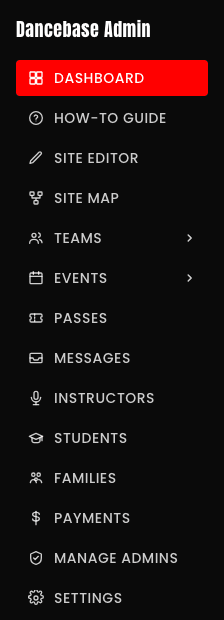
yourstudio.dancebase.com.au, and it's the whole reason anyone finds you online at all. - Your admin panel. This is where you actually run the place, add classes, review team applications, check who's paid, connect your payment account. Students never see it, never even know it exists. It's reached through a completely separate sign-in, one you'll set up in the very next article.

Nobody is left waiting on us
One more thing worth knowing upfront, since it comes up a lot: Dancebase runs many different studios on one shared platform, but your data never mixes with anyone else's. Your students, your payments, your team rosters, all of it is walled off completely from every other studio on the platform, even though you're all technically running on the same underlying system. Think of it less like a shared office and more like a building full of completely separate, locked apartments.
Ready to actually build the thing? That's the very next article, and it's genuinely the fun part.