Editing text: fonts, sizes, and colors
3 min read
With Edit Mode on, hovering over any editable piece of text reveals a small pencil icon, click that icon (not just anywhere on the text) and a real formatting popover opens, labelled with exactly which piece of text you're editing, e.g. "Hero Button Label."
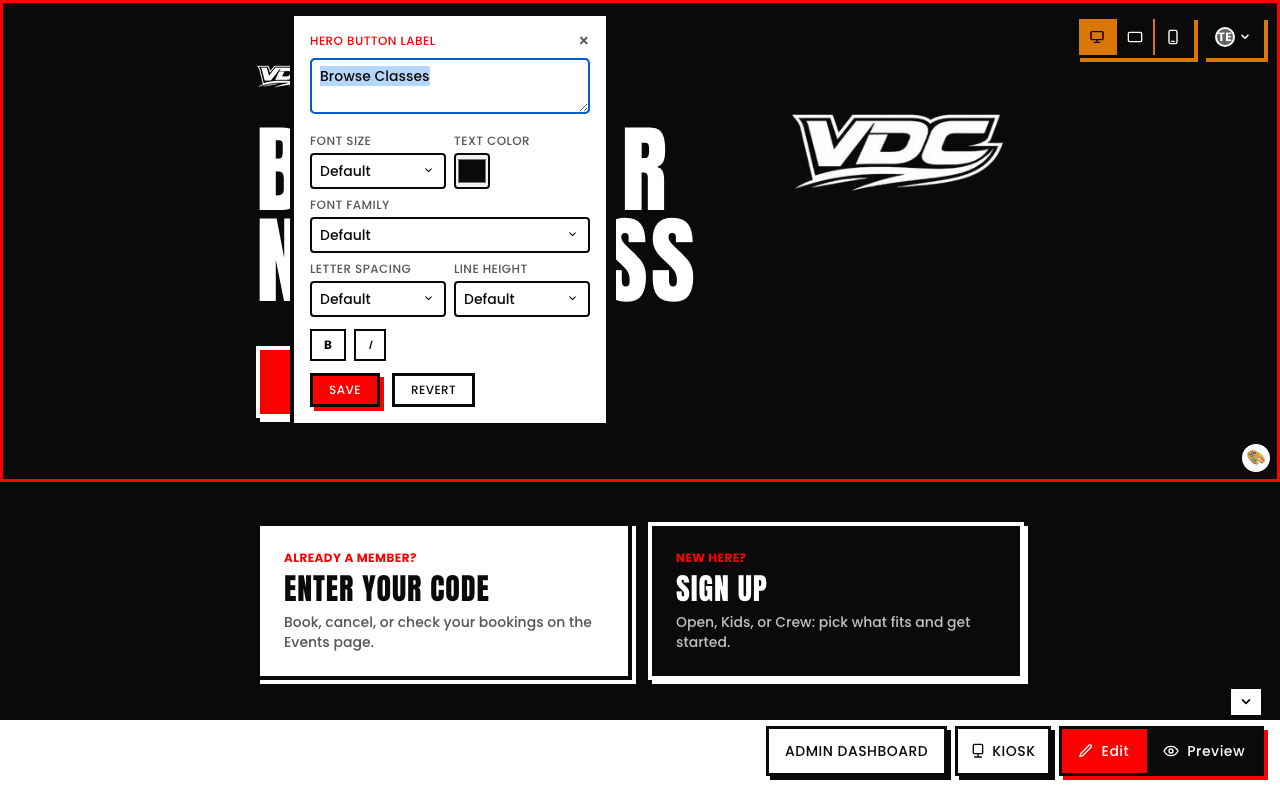
What you can control
- Font size. Default, Small, Large, Extra large, or Huge, calculated relative to that element's own current size, so "Large" always means bigger than whatever's already showing.
- Font family. Default, plus a real, fixed list: Poppins (body & labels) and Anton (headings), your two brand faces, alongside a range of familiar web-safe system fonts across sans-serif, serif, and monospace groups (Arial, Verdana, Georgia, Times New Roman, Courier New, and more). It's a curated list from the existing design system, not an open-ended font picker.
- Letter-spacing. Default, Tighter, Tight, Normal, Wide, Wider, or Widest.
- Line-height. Default, Tight, Normal, Relaxed, or Loose.
- Bold and italic toggles.
- Color, via a real color picker, not just a handful of swatches.
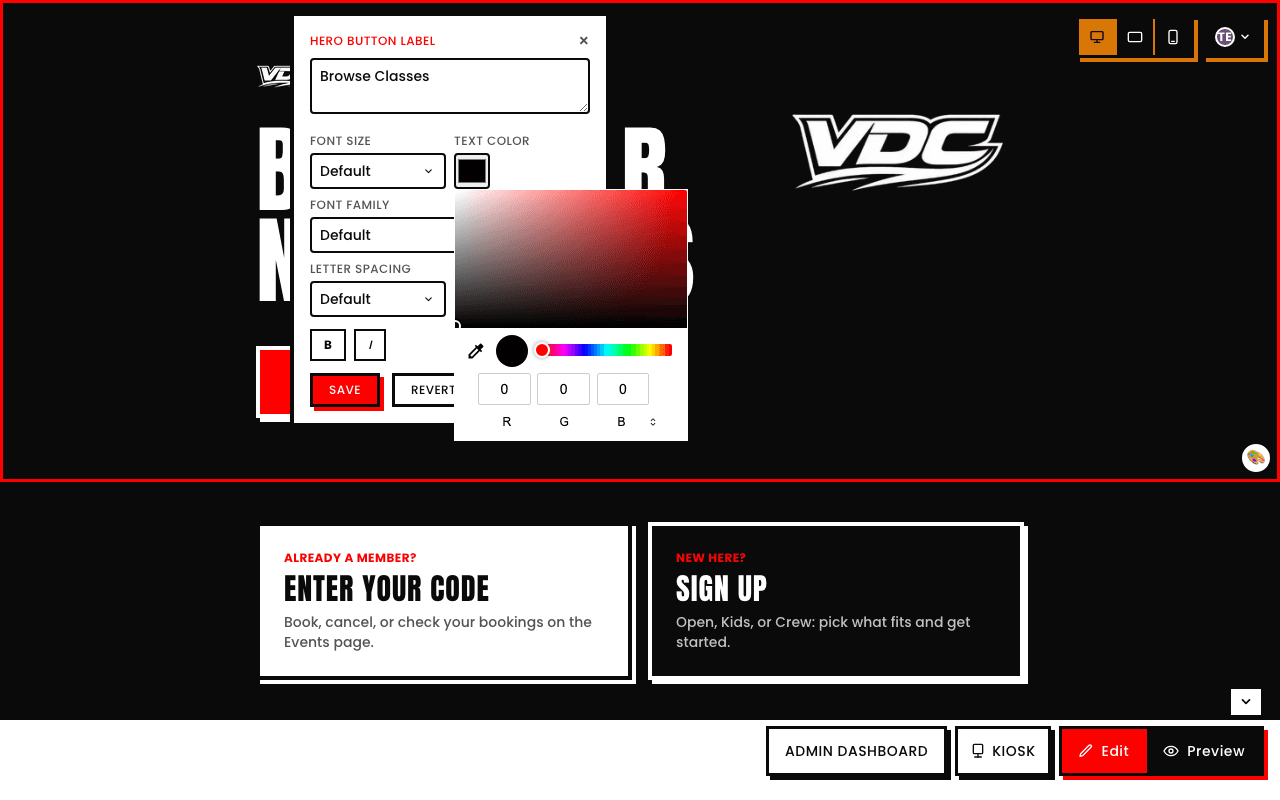
Changes apply the moment you hit Save, right there in the popover
Each popover has its own Save and Revert buttons, the change applies as soon as you save, and every visitor sees it immediately, there's no separate site-wide publish step.