Inviting an instructor to self-onboard
2 min read
Rather than an admin typing in every instructor's bio and details by hand, you can send a real invite and let them fill in their own profile.
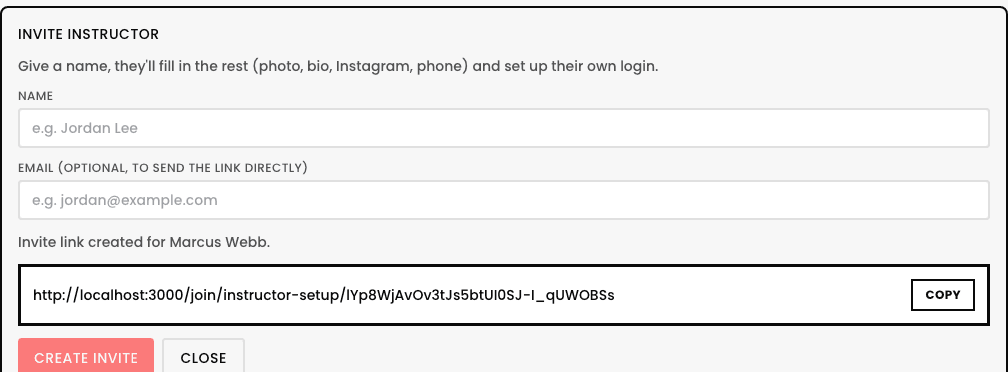
- 1From the Instructors page, tap
Invite Instructorand give just a name (email is optional, only needed if you want the link sent directly). - 2Copy the resulting invite link.
- 3Send it to them however you'd normally reach them, text, email, whatever's easiest.
- 4They open it and fill in their own photo, bio, Instagram, and phone directly, then confirm a few real compliance items (WWCC, first aid/CPR, contractor status, and any policy links you've added) before choosing their own password.
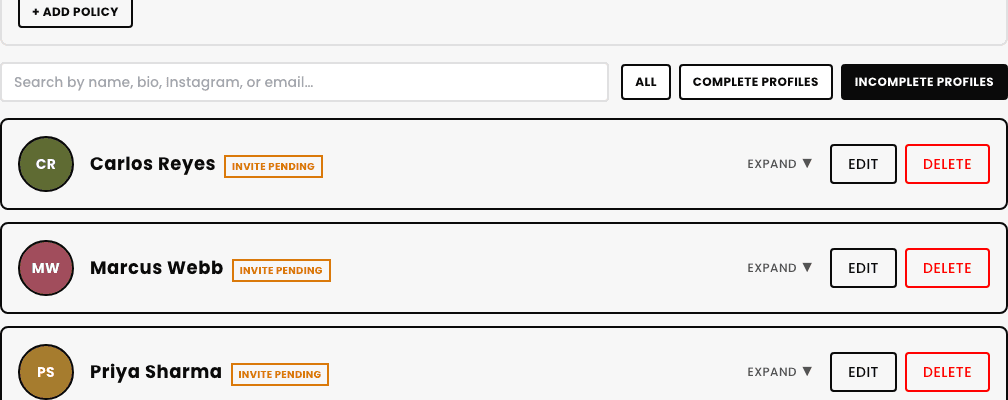
Until they complete it, their profile shows an Invite Pending badge on the Instructors page's Incomplete profiles filter, so you can see at a glance who still needs to finish.