How entering a competition actually works
4 min read
Every competition on Comps has its own page: what it's called, when it runs, which sections it's offering, and what it costs. If entries aren't open yet, you'll see that plainly instead of a confusing button that just doesn't do anything.
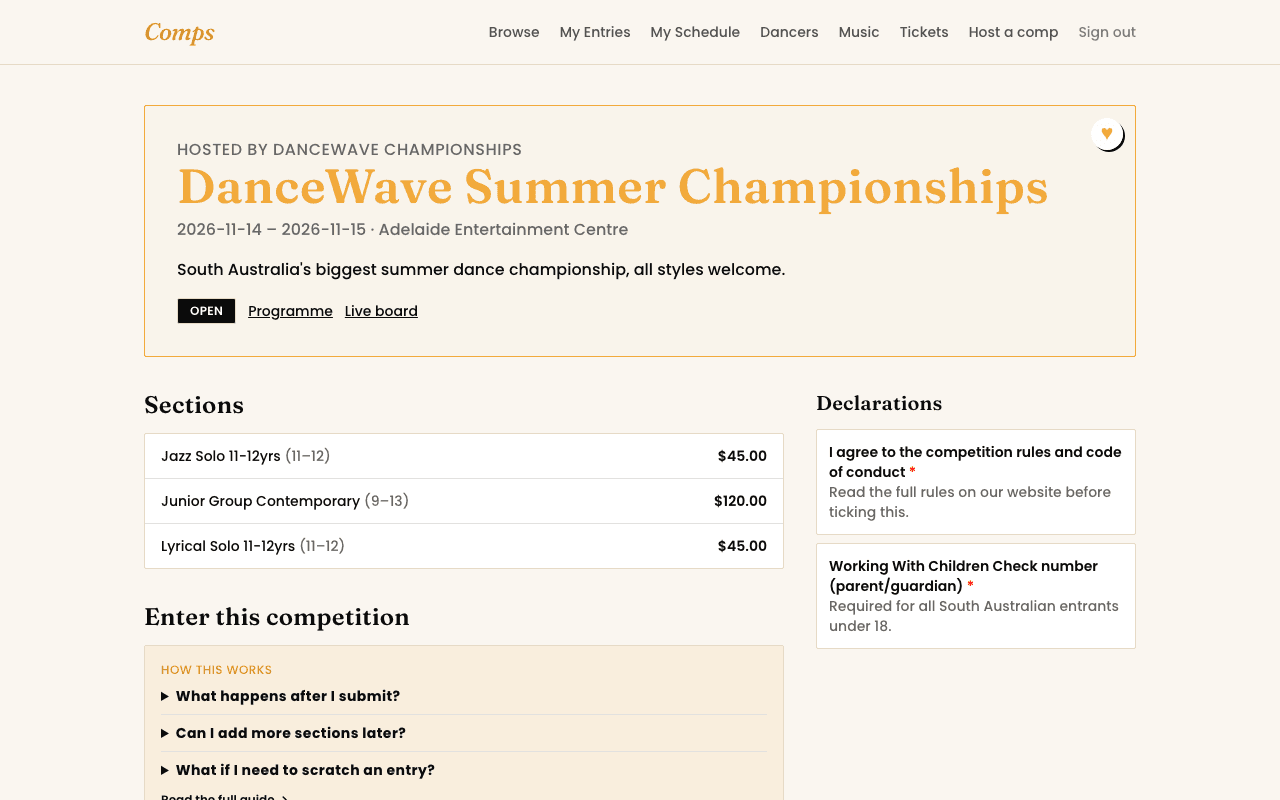
Picking who's entering
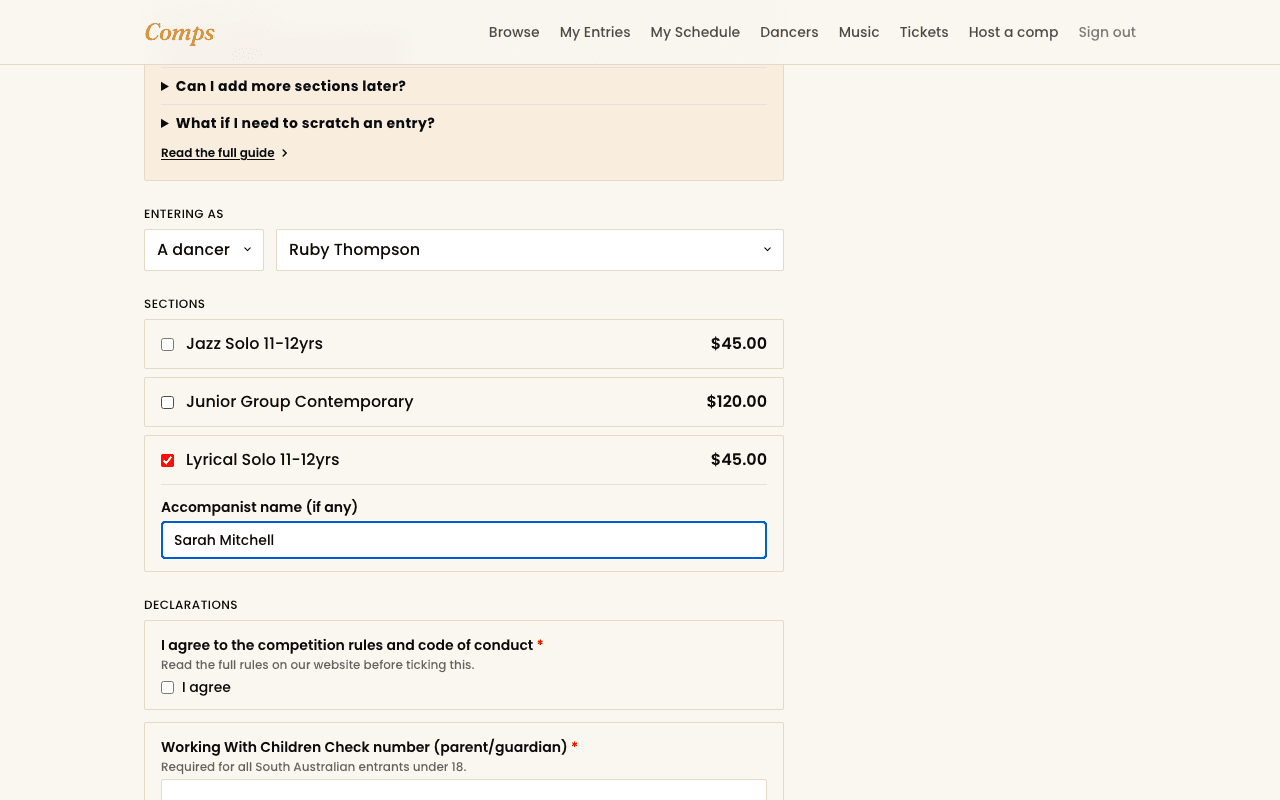
Every entry belongs to either one dancer from your Dancers list, or a group you've put together, never a name typed fresh each time. If you haven't added the dancer yet, add them first (it takes under a minute), then come back.
Selecting sections
- 1Tick every section you want to enter for that dancer or group.
- 2If a section asks its own questions, an accompanist's name, a music title, whatever the organizer needs, they'll appear right under that section the moment you select it, not buried in a separate form later.
- 3Work through any declarations the competition requires, rules acknowledgment, a Working With Children number, whatever's asked. Required ones are marked, and the entry won't submit without them.
- 4Submit. You'll get an email confirming exactly what you're in for.
Why an entry might land on the waitlist
Most entries are accepted the instant you submit them. Occasionally one lands on the waitlist instead, and when it does, Comps tells you exactly why, not just "waitlisted" with no explanation:
- The whole competition has a cap on total entries, and it's been reached.
- That entry type (solos, for instance) has its own cap, separately from the rest.
- That specific section is full.
- You've hit the organizer's limit on solo entries per dancer.
A waitlisted entry isn't a rejected one
See also
You might also want to read
Getting Started
What Comps actually is
A dance competition platform built to be simple enough that nobody needs a manual.
Payments, Discounts & Credits
Paying for an entry
Full payment, deposits, discount codes, and credit, in the order they actually apply.
Entering a Competition
Entering as a duo, trio, or group
How a multi-dancer entry actually works, and why groups get their own profile.