Building your dancer profile
2 min read
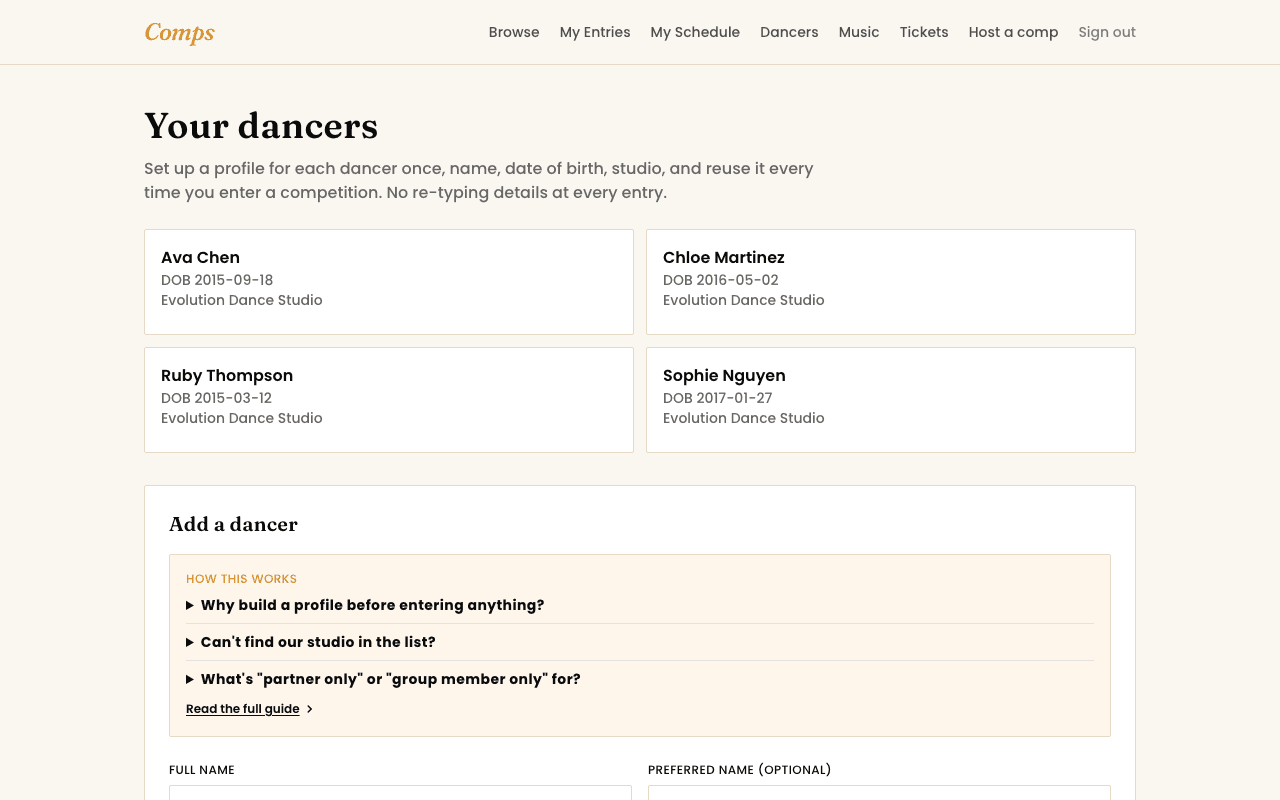
Before you can enter anything, Comps needs to know who's dancing. That's a Dancer profile, one per person, and once it exists you never type that person's details again, every future entry just picks them from a list.
What actually goes on a profile
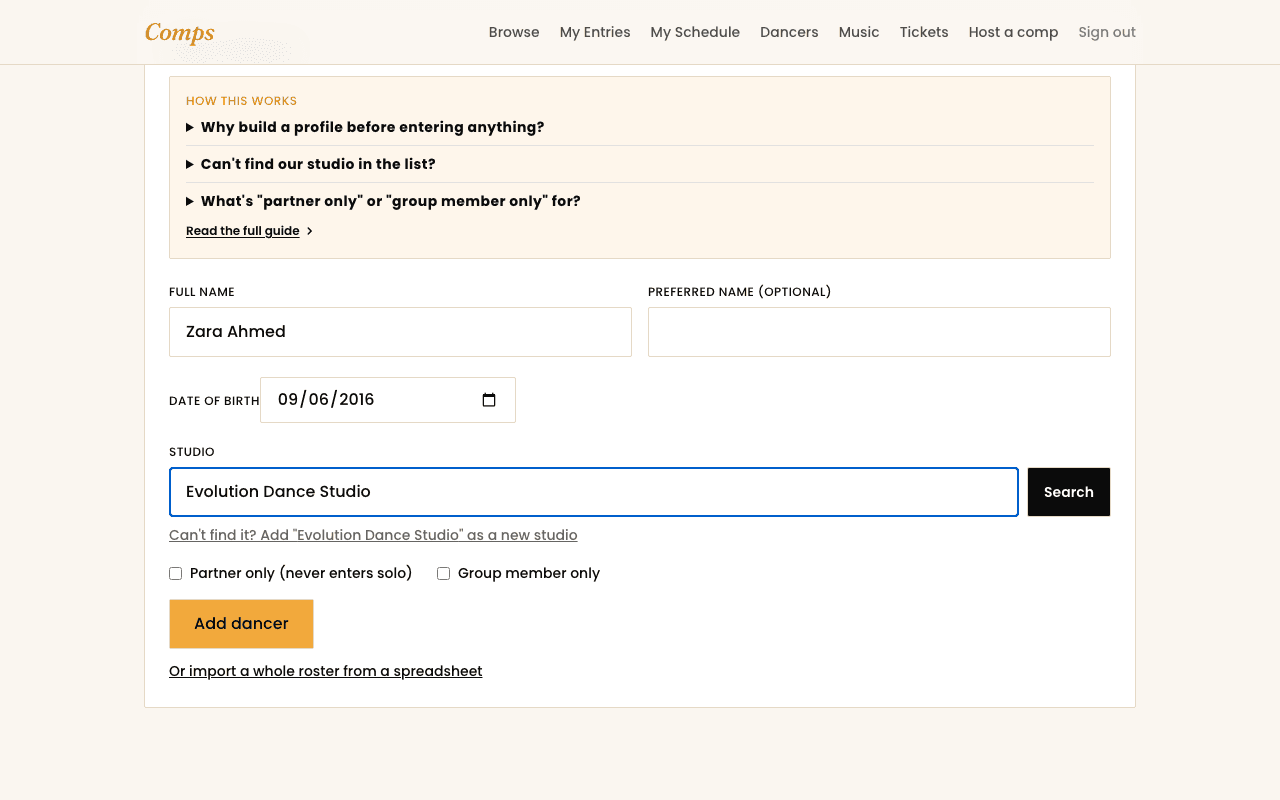
- Full name and a preferred name. The preferred name is what shows on results and the live board if it's set, useful if a dancer goes by something shorter than their legal name.
- Date of birth. This is what actually determines which age-bracketed sections a dancer is even eligible for, get it right and the rest takes care of itself.
- Studio. Search for it first. If it genuinely isn't listed yet, you can add it as unlisted right from the same form, it still attaches correctly to every entry, it just isn't pre-filled for anyone else at that studio until an organizer or another parent adds it properly later.
Partner-only and group-member-only
Two checkboxes on the same form exist for a real, common situation: a dancer who only ever performs as part of a duo, trio, or group, and never solo. Tick the one that applies and that dancer stops cluttering a solo section list they'd never actually enter, while still showing up correctly wherever they're genuinely needed.
One account, several dancers
You might also want to read
Getting Started
What Comps actually is
A dance competition platform built to be simple enough that nobody needs a manual.
Entering a Competition
Entering as a duo, trio, or group
How a multi-dancer entry actually works, and why groups get their own profile.
Entering a Competition
How entering a competition actually works
From browsing to a confirmed entry, and what happens if a section is full.