What actually shows up on your calendar
3 min read
It's worth being precise here, because this app went through a real migration: every new thing you schedule today, a regular weekly class, a one-off intensive, a competition prep session, goes through the exact same category picker covered in Scheduling classes, not a separate "event type" form. There isn't a Class/Competition/Showcase/Gig choice to make when creating something new, the category you pick already carries that meaning.
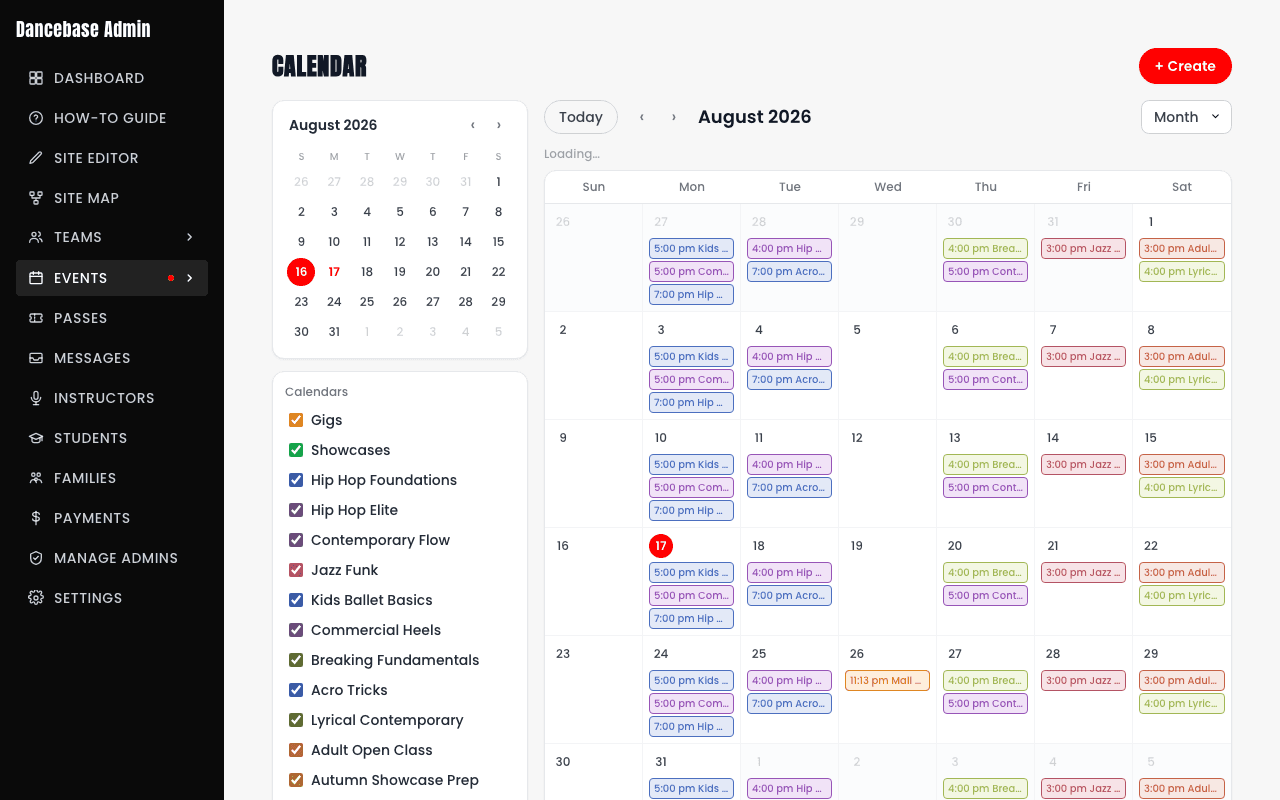
Three real sources feed one calendar
- Category sessions. The overwhelming majority of what's on your calendar, everything scheduled through "+ Create" or a category's own Sessions tab.
- Team sessions. A team's own training sessions show up here too, but they're read-only from the calendar, manage them from Team Management instead.
- Gigs and Showcases. Their own toggleable entries in the Calendars list, sitting alongside your regular categories rather than mixed invisibly into them.
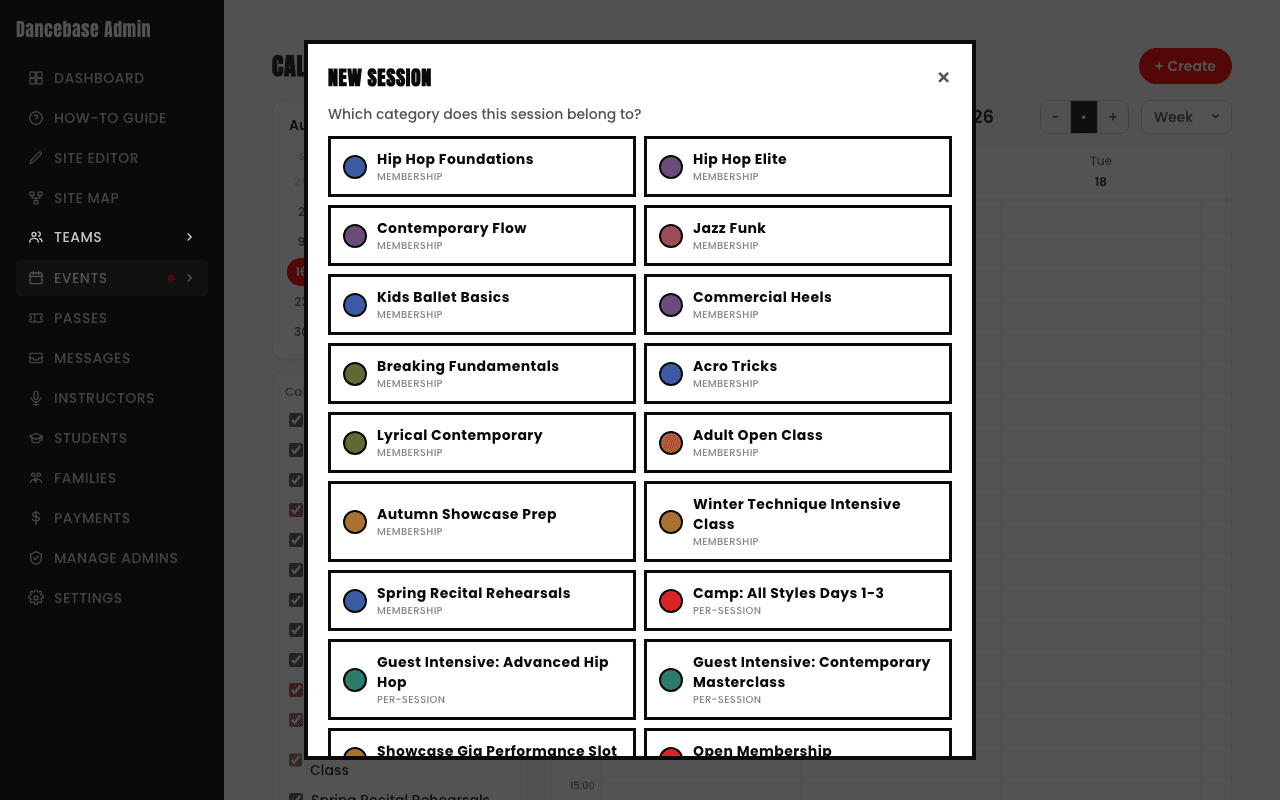
Fields like Location, Studio, Instructor, Level, and Capacity live on the session form itself regardless of which category you picked, filled in as relevant to that specific session.