Scheduling classes & reading your calendar
5 min read
Here's the distinction worth holding onto: a category defines what students pay for, a scheduled session is when it actually happens on a real clock. One category can have many sessions hanging off it, a weekly class runs on complete autopilot once you set its recurrence, while a one-off intensive just gets a single date and time and nothing more.
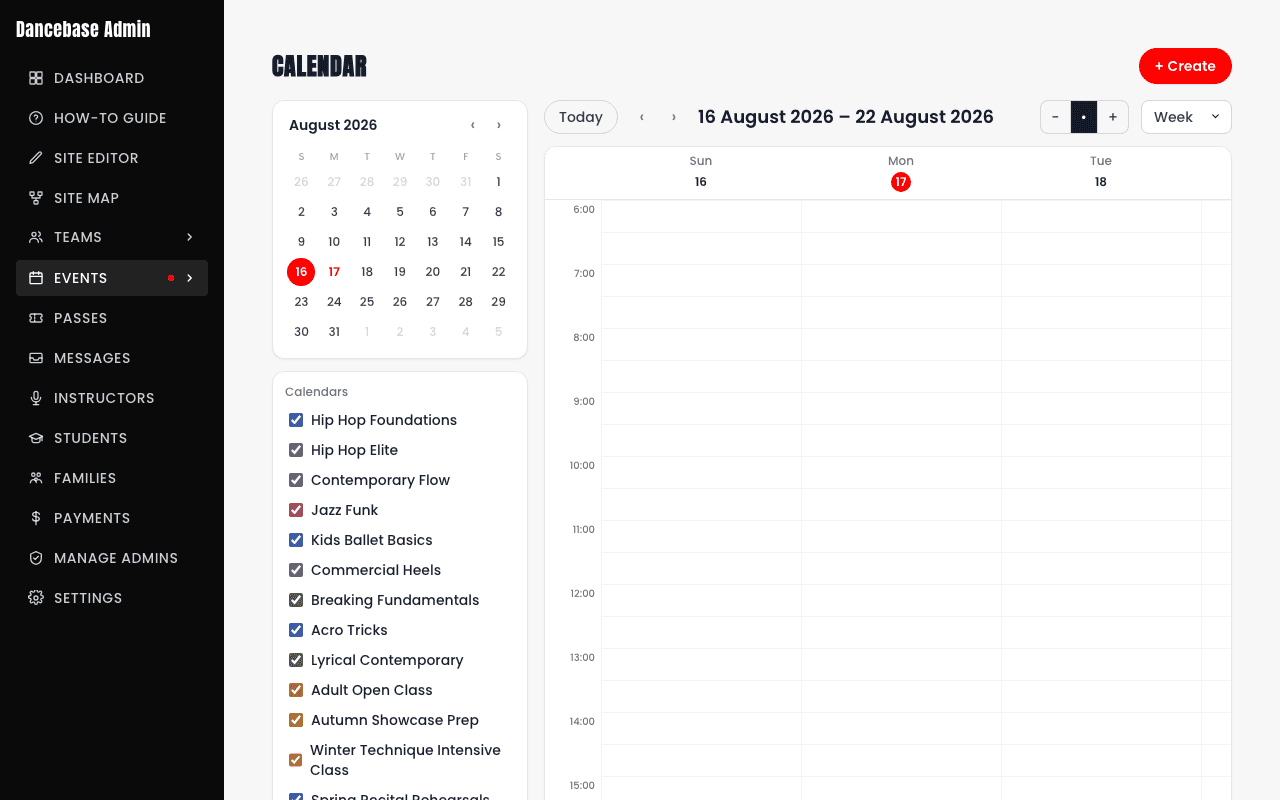
Scheduling a session, step by step
- 1From the calendar, tap
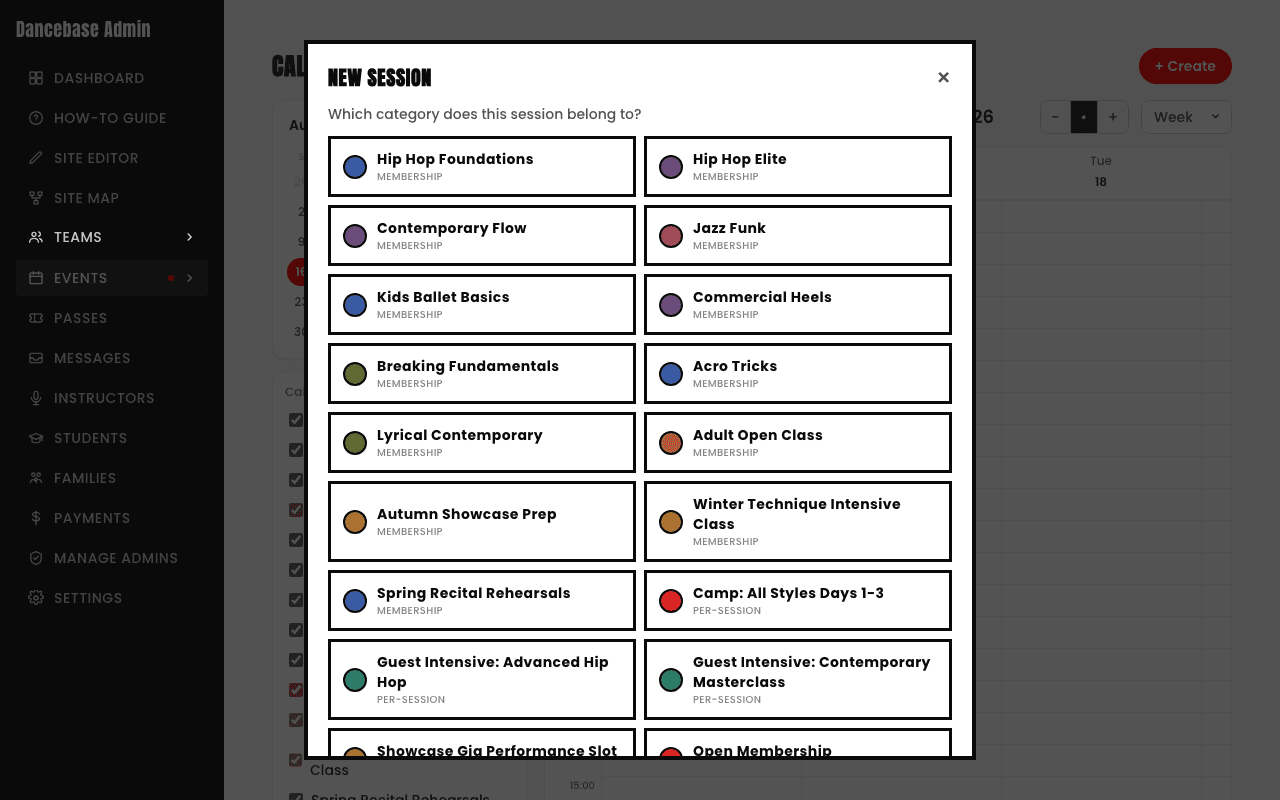
+ Createin the top right. - 2Pick which category this session belongs to, this single choice decides who's eligible to book it and exactly what it costs. Dragging out an empty time slot on the grid instead opens the exact same picker, pre-filled with that time.
- 3Set a day and time. For a regular weekly class, switch on recurrence so it repeats automatically without you ever re-creating it week after week.
- 4Set a capacity, if your actual physical room genuinely only fits a certain number of dancers comfortably.
- 5Save it, it's bookable by students immediately, no separate publish step.
Reading the calendar itself
- The left-hand "Calendars" list toggles each category's sessions on or off independently, genuinely useful for focusing on just one program during a busy week without the visual noise of everything else.
- A "Location" filter narrows the view further, useful the moment you run more than one physical studio space and want to see just one room's schedule.
- Every color on the calendar matches that exact same category's own color everywhere else in the admin panel, the categories list, the calendar toggle, the new-session picker, all of it, consistently, so you never have to re-learn which color means what.
- Switching between Week and other views (via the control in the top right) changes your zoom level without losing any of your active filters.
One class per slot, per student, studio-wide
Dancebase caps any one student at exactly one booking per time slot across your whole studio, not per category. This single rule is what makes kiosk auto-match unambiguous later on: at any given moment, there's never more than one possible booking to check that student into, because they genuinely can't be booked into two different classes running at the same time.