Running event day
4 min read
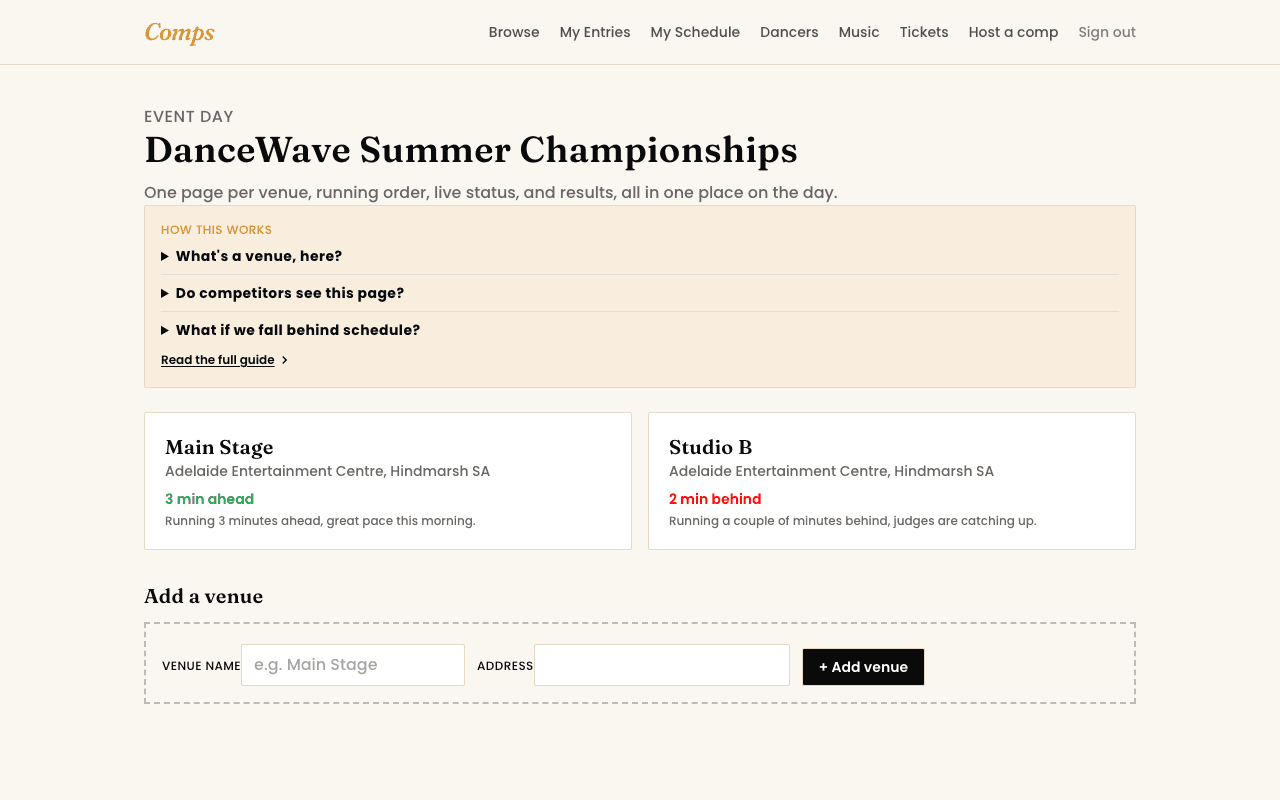
Every competition has its own Event Day mode, reachable from that competition's management page. It's built for the day itself: fast taps, not forms.
Set up once, before the day
- 1Add each venue you're running, even if it's just one stage.
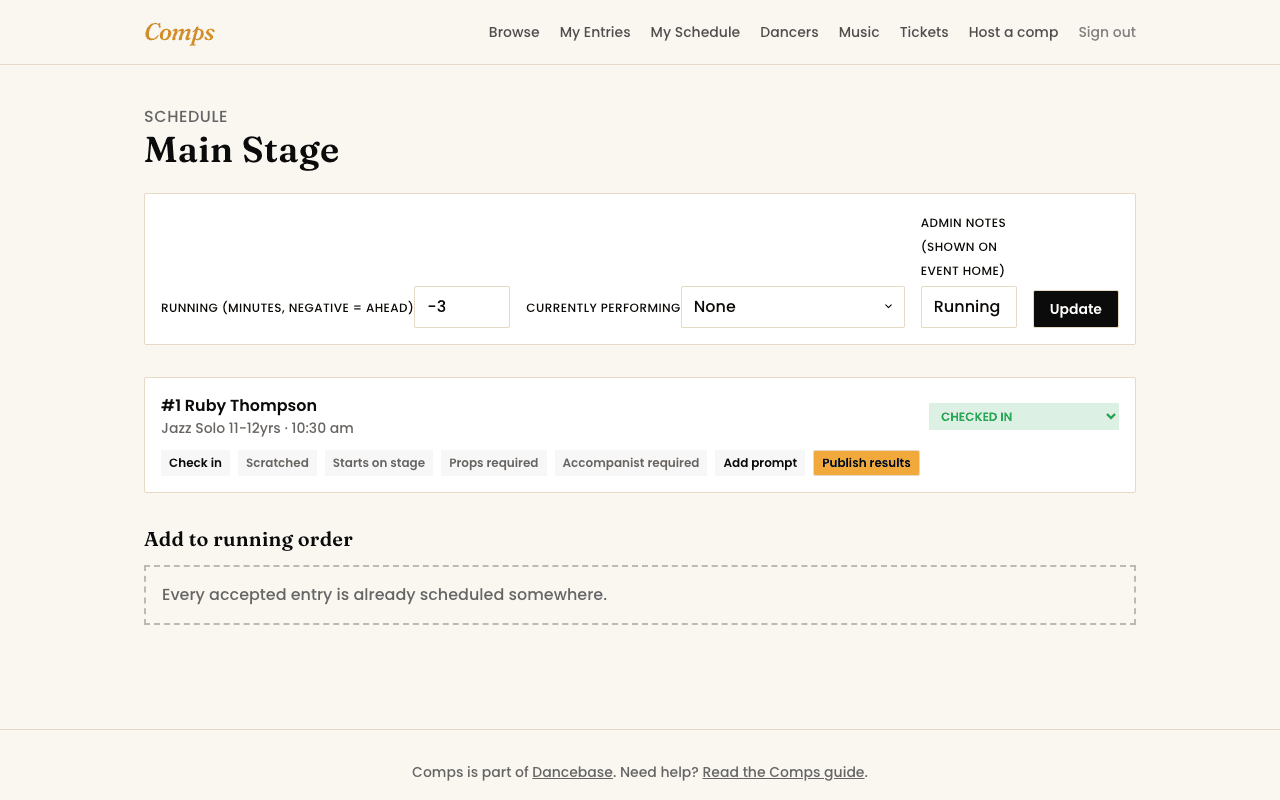
- 2Build the running order per venue: pull in accepted entries, assign a run number and a time.
On the day
- Check entries in as dancers arrive, update status as each one performs, performing now, on hold, required backstage, whatever's actually happening.
- Flag props or an accompanist requirement right on the entry, it shows up for the dancer on their own My Schedule automatically.
- Update each venue's running-ahead-or-behind timer as you go, it drives the public live board without you touching that page separately.
- Publish results per entry as judges hand them in, a score or placement, a report PDF, an audio critique, whichever you're running. The dancer gets notified the moment it's published, never before.
A printable programme, no extra software
Every competition has a Programme page, a clean, print-ready running order you can print or save as a PDF straight from the browser, no separate document to keep in sync by hand.
You might also want to read
Running a Competition
Hosting your first competition
From a blank organizer account to entries open, in the order you'll actually do it.
Event Day
Following the day itself
My Schedule, the live board, and where your results actually show up.
Running a Competition
Reviewing and managing entries
Accept, waitlist, scratch, or swap, the real controls once entries start arriving.