Adding your own questions to a signup form
3 min read
Every onboarding form already asks a fixed set of built-in questions: name, date of birth, emergency contact, and so on. Those can't be changed. Custom fields are for anything extra you want to ask on top of that, a t-shirt size, a dietary note, how someone heard about you, whatever your own studio needs that isn't already covered. There's no single, separate "Custom Form Fields" page, each form's own questions live directly on the page that form belongs to.
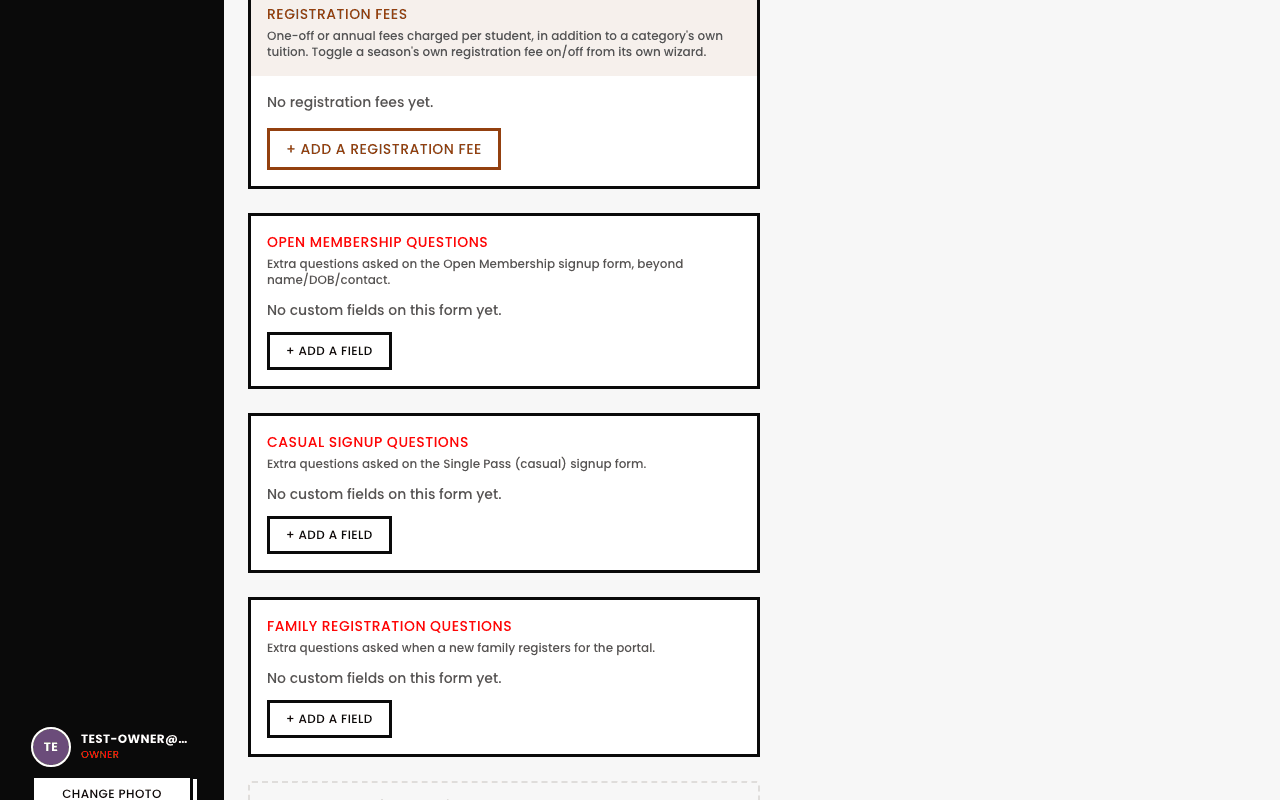
Where each form's questions actually live
- Recurring-membership, pay-per-class, and family registration forms. Live on the Settings page, scrolled down past Registration Fees, one panel per form.
- A term-based or seasonal program. Lives on the Event Categories page (Events → Event Categories), scoped to that specific category.
- A team's own interest and onboarding forms. Team interest questions live on Team Management; onboarding questions live on that individual team's own page.
- Any individual category. Its own Onboarding Form step inside that category's builder, covered in Building your category's signup form.
The shape of it, wherever it lives
- Every field belongs to exactly one form, a field you add to one signup form only appears there, never on another form too.
- Eight field types cover most needs: short text, long text, number, email, dropdown (select), checkbox, date, and rich text.
- Rich text is a special case, it's pure display content, not a question a student answers, useful for a formatted terms-and-conditions or policy block with a real hyperlink in it.
- Marking a field Required blocks submission until it's filled in, exactly like the built-in fields already work.
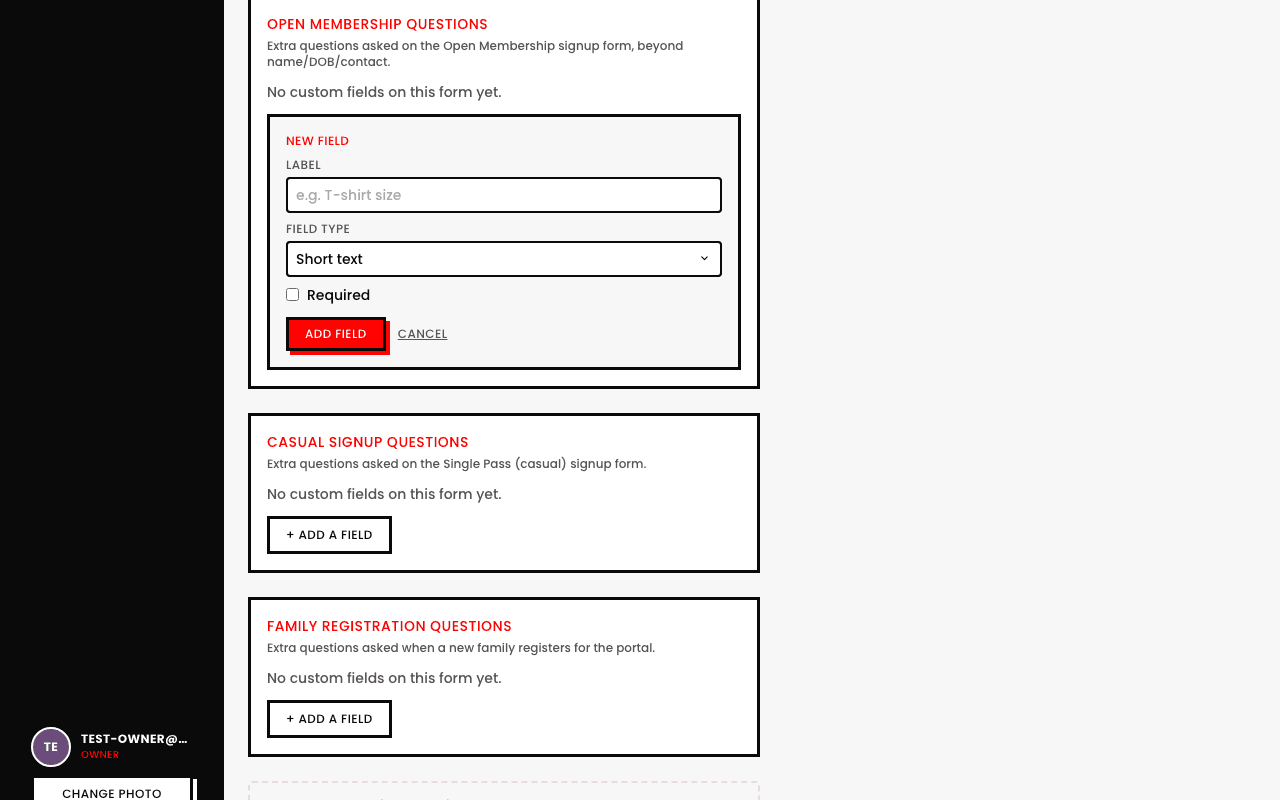
Editing or removing a field never rewrites what's already been submitted
Changing a field's label or dropdown options only affects new submissions from that point on. Removing a field stops asking it going forward, but any answers already on file from before you removed it stay exactly as they were, nothing is silently deleted out from under past submissions.